Single Sign-On (SSO)
Norce Commerce supports Single Sign-On (SSO) for Norce Admin. Users sign in through your organization's identity provider instead of using a separate Norce username and password. This simplifies access management and centralizes authentication.
User accounts are provisioned from your identity provider using SCIM 2.0. The users and roles you manage in Entra ID are synchronized to Norce Admin automatically, so access is governed entirely from your identity provider.
Note: SSO is an add-on feature and is not included in the standard Norce Commerce license. Enabling SSO affects your licensing terms. Contact your Norce representative for details and pricing.
How SSO works
When SSO is enabled for your client, the Norce Admin login page redirects users to your organization's identity provider. Users authenticate with their existing corporate credentials and are then signed in to Norce Admin automatically.
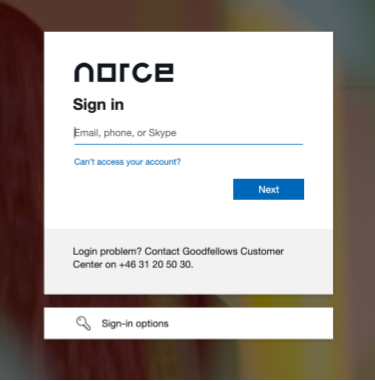
Supported identity providers
Norce currently supports Microsoft Entra ID (formerly Azure Active Directory) through the OpenID Connect (OIDC) protocol for authentication, and SCIM 2.0 for user provisioning. Support for additional identity providers may be added in the future.
User provisioning
Users are provisioned from Entra ID to Norce Admin through SCIM 2.0. A user must be provisioned before they can sign in.
Provisioning runs on Entra ID's own schedule (typically every ~40 minutes). To apply a change immediately, use Provision on demand in the enterprise application.
A user's access in Norce Admin is determined by the app role assigned to them in Entra ID. See Define roles for how roles are mapped.
Matching existing users
When a user is provisioned, Norce matches them to an existing Norce Admin account by email address, scoped to the client. The match is per client — the same email in a different client is a different account. Matching is case-insensitive, so john@doe.se and John@Doe.se are treated as the same address.
- If a matching email is found, the existing account is linked to the Entra ID identity. The user keeps their existing user ID, along with their history and client-specific settings. Their LoginName, Name, and roles are updated using information from Entra ID.
- If no match is found, a new account is created.
Enabling SSO on a client that already has users: To keep existing accounts (and their user IDs) when you turn on SSO, make sure each user's email in Entra ID matches the email on their existing Norce Admin account before provisioning runs. If the emails don't match, provisioning creates a new, separate account instead of reusing the existing one.
Getting started
Enabling SSO involves configuration in your identity provider and activation by Norce.
1. Prepare your identity provider
Your Entra ID administrator creates an OIDC app registration in Microsoft Entra ID and configures the redirect URI for your environment:
- Production:
https://<slug>.admin-se.norce.tech/sso/api/azuread/callback - Stage:
https://<slug>.admin-se.stage.norce.tech/sso/api/azuread/callback
Replace <slug> with your client slug.
After the app registration is ready, share the following with Norce:
- Tenant ID
- Client ID (Application ID)
- Client secret
2. Define roles in Norce and Entra ID
Roles are created in Norce Admin and mapped to app roles in Entra ID. The link between them is the role Code in Norce and the app role Value in Entra ID — these must be identical. The display names are independent and do not need to match.
Always create the role in Norce Admin first, then create the matching app role in Entra ID. Entra cannot be mapped to a code that does not yet exist in Norce.
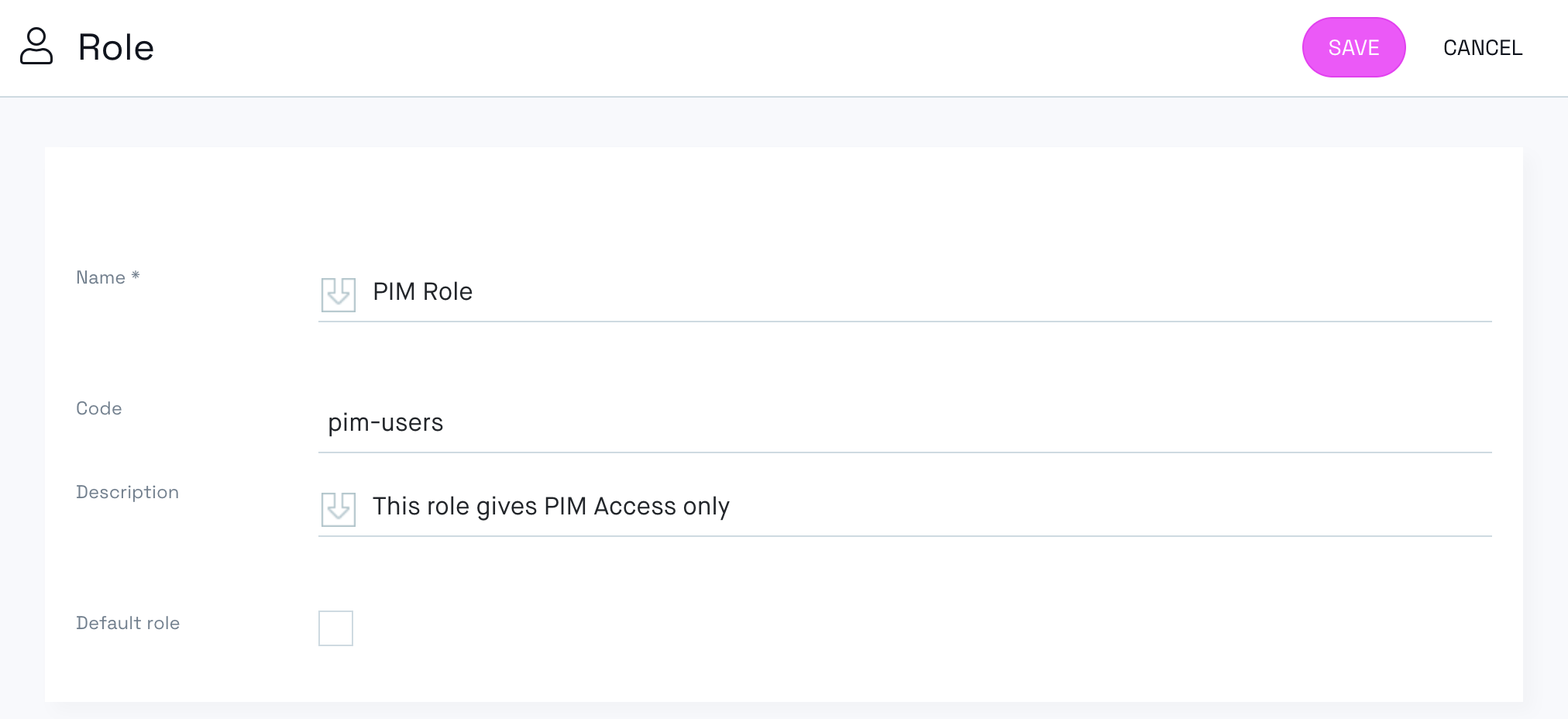
In Norce Admin, create the role and note its Code (see Roles).
In your Entra ID app registration, under App roles, create an app role with its Value set to the same code.
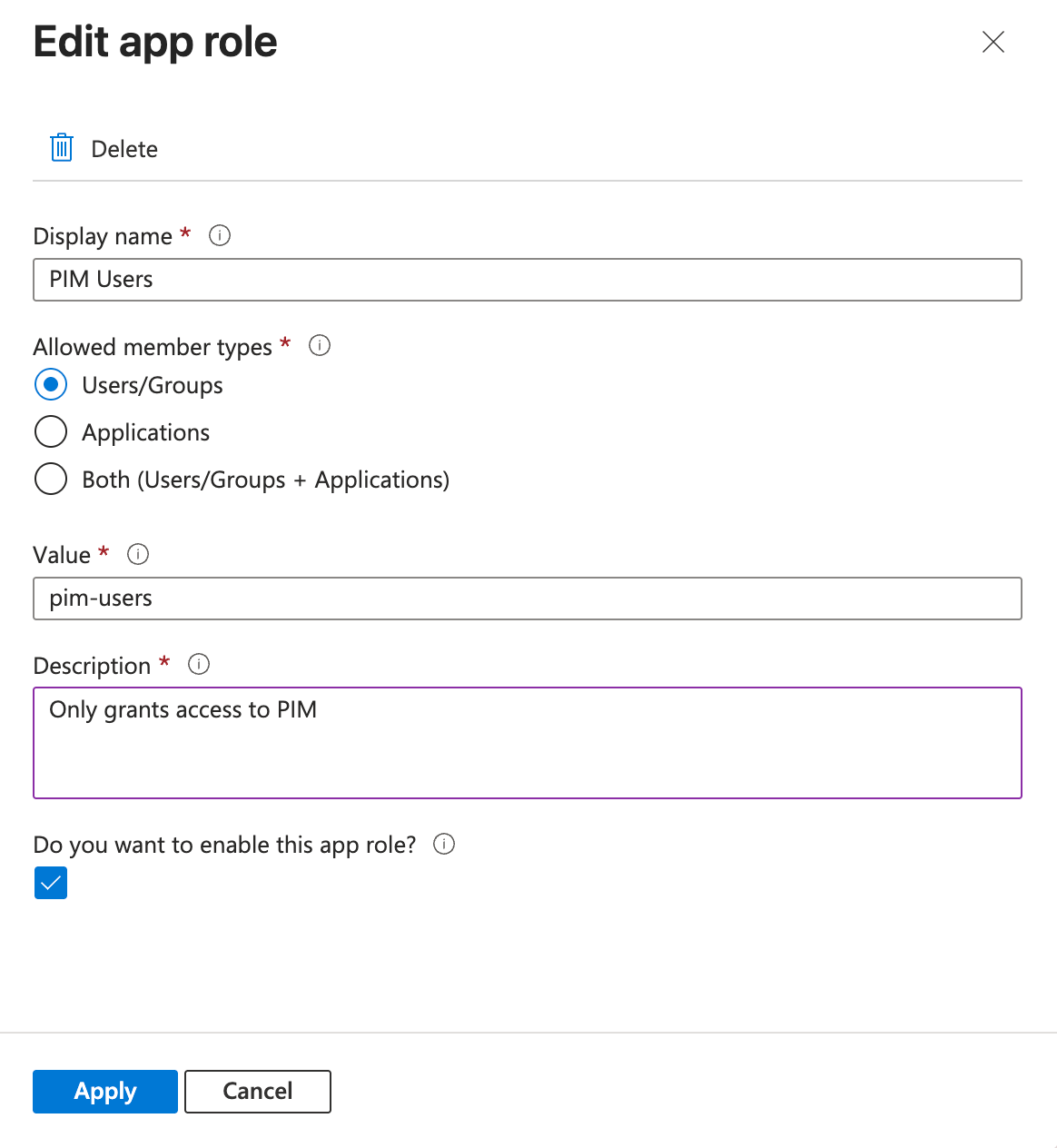
In the example above, the Norce role PIM Role has the code pim-users, and the Entra ID app role PIM Users has the value pim-users. The display names differ; it is the matching code/value pair that links them.
Important: It is the app role Value that is matched — not the display name. A mismatched value causes provisioning to fail (see Troubleshooting).
3. Configure user provisioning (SCIM)
In the enterprise application in Entra ID, open Provisioning and configure automatic provisioning:
- Tenant URL:
- Production:
https://<slug>.admin-se.norce.tech/sso/api/scim/v2 - Stage:
https://<slug>.admin-se.stage.norce.tech/sso/api/scim/v2
- Production:
- Secret Token: provided by Norce for your environment.
- Set the provisioning Scope to Sync only assigned users and groups.
- Assign the relevant users to the application, each with the app role that matches their Norce role.
Under Attribute Mappings, only a few attributes are required for Norce. You can keep Entra's default mappings — Norce ignores the attributes it does not use — but make sure the following are set:
| SCIM attribute | Mapped from | Required |
|---|---|---|
userName | mail | Required — becomes the user's email and the matching key (set Matching precedence to 1). |
roles | AssertiveAppRoleAssignmentsComplex([appRoleAssignments]) | Required — carries the app role. Each user must be assigned exactly one app role; zero or more than one makes provisioning fail with a 400. |
active | Switch([IsSoftDeleted], , "False", "True", "True", "False") | Recommended — controls enable/disable (drives the soft delete when a user is unassigned). |
name.givenName, name.familyName | givenName, surname | Optional — combined into the user's name; falls back to the email if omitted. |
All other attributes (displayName, title, preferredLanguage, addresses, phoneNumbers, externalId, the enterprise extension fields, and so on) are optional — Norce accepts them but does not use them.
Use Test Connection in Entra ID to confirm the endpoint is reachable, then start provisioning.
4. Norce activates SSO
After receiving the configuration details, Norce activates SSO for your client environment. Once activated, the Norce Admin login page redirects to your Entra ID sign-in page.
To get started, contact your Norce representative.
SCIM support and limitations
Norce exposes a SCIM 2.0 endpoint for user provisioning under /sso/api/scim/v2. The following capabilities are supported:
| Capability | Supported |
|---|---|
| User CRUD (create, read, update, delete) | Yes |
| PATCH operations (RFC 7644 §3.5.2) | Yes |
Filtering (filter query parameter) | Yes (max 200 results) |
Pagination (startIndex) | Yes |
| Groups | No |
| Bulk operations | No |
| Sorting | No |
| ETags / conditional requests | No |
| Change password | No |
/Me (self-service) | No |
POST-based search (.search) | No |
A few behaviors are worth noting:
- Removing a user is a soft delete. When a user is unassigned or deleted in Entra ID, the account is disabled in Norce Admin, not permanently removed.
- Groups are not provisioned. Group-based assignment is not supported; the
/Groupsendpoint exists only so the Entra ID "Test Connection" check can succeed. - Filtering returns at most 200 results. Use pagination (
startIndex) to retrieve more.
Things to know
Role management
Roles and permissions are managed in Norce Admin, not in Entra ID. SSO handles authentication (who the user is), while authorization (what the user can do) is controlled by Norce roles.
Role assignment is provisioned from Entra ID app roles, matched to Norce roles by code/value as described in Define roles. Automatic role mapping from Entra ID groups is not supported.
Partners and external users
If partners or external consultants need access to Norce Admin through SSO, invite them as guest users in your Entra ID tenant. They then authenticate through your organization's Entra ID like other users.
Sub-clients
If your setup includes sub-clients, each user must sign in through the client where their user account exists. SSO authentication is scoped to the specific configured client slug.
Troubleshooting
A user can't sign in right after being added
The user is most likely not provisioned yet. Provisioning runs on Entra ID's schedule; a user cannot sign in until they have been provisioned. Use Provision on demand in the enterprise application to apply the change immediately.
Provisioning fails with "Unknown RoleCode"
The app role Value in Entra ID does not match any role Code in Norce Admin. The endpoint returns a 400 with a detail such as Unknown RoleCode '<value>'. Correct the app role value so it matches an existing Norce role code, or create the corresponding role in Norce Admin first.
A role change in Entra ID is not reflected in Norce
Editing the role on an existing assignment does not always trigger re-provisioning. Remove the user from the application and add them again to force the change to be sent.
A user still appears active in Norce after being removed in Entra ID
This is expected: removal is a soft delete, so the account is disabled, not deleted. If Entra ID reports that the soft delete was skipped (RedundantSoftDelete), restart provisioning, or re-assign and then re-remove the user, to reset the synchronization state.